You can add a new user directly in the George Business web application.
Adding a New User
Last Article Update 12.01.2026
Adding a new user as an administrator
Go to Company settings.
Click the profile icon in the top right corner and select Permissions.
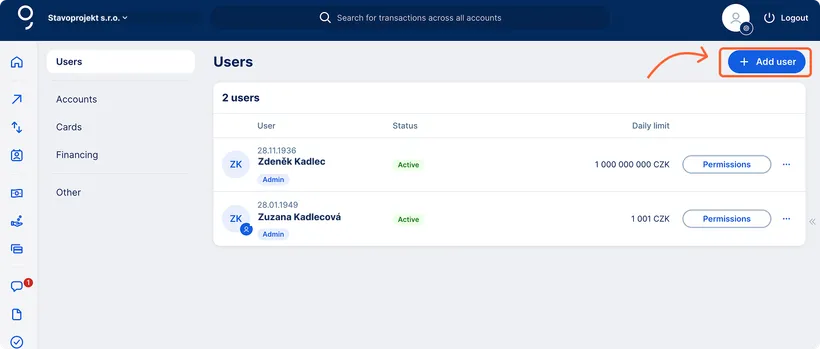
In the list of users, click the + Add user button.
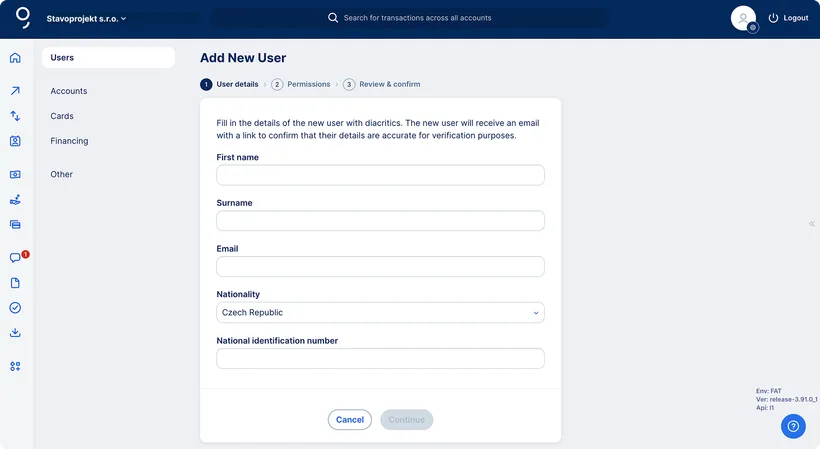
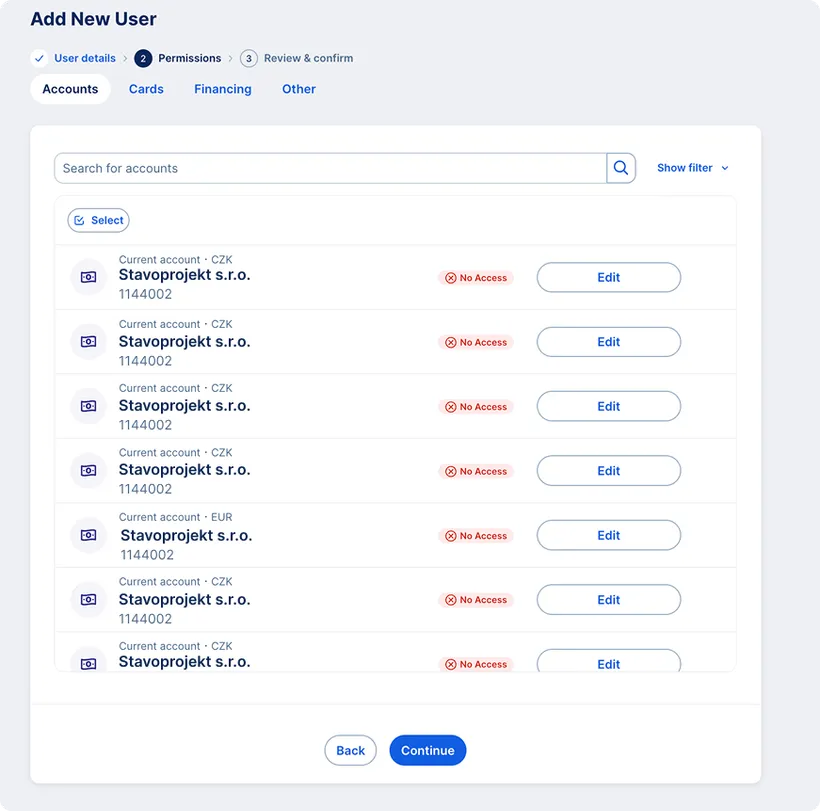
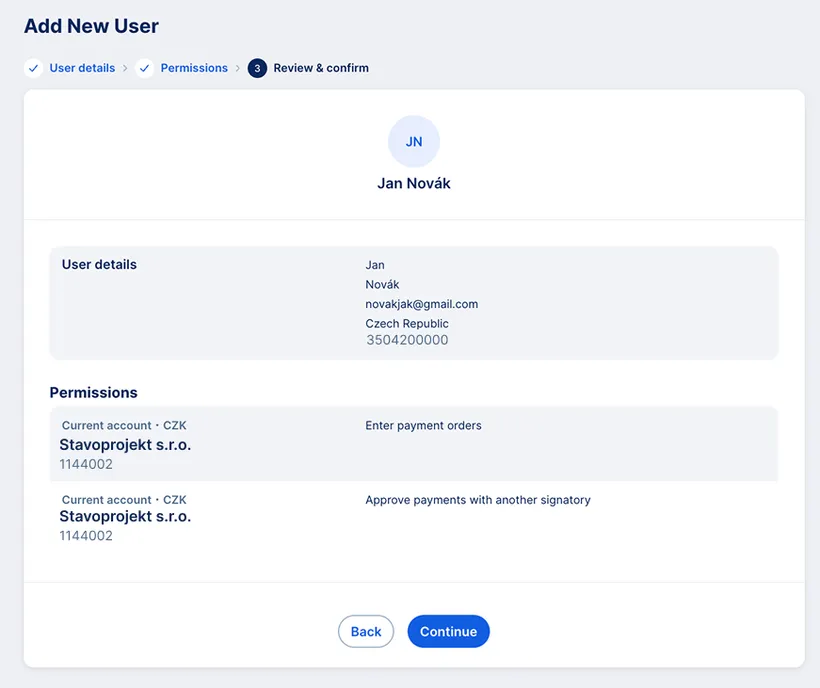
You can add a new user in three simple steps:
-
First, enter the new user's details (first name, last name, email address, nationality, personal identification number – national ID number).
-
Next, you can set the new user's permissions and limits. This step is optional – you can also adjust permissions later.
-
Finally, review the details. After you confirm, the new user will receive an email with instructions and a link to complete their registration.
Completing the process as a new user
The new user will receive an email confirming they've been added to the workspace with instructions and a link to complete the setup:
Who can add a new user
A new user can be added only by users who meet both of the following conditions:
Has the administrator role in the workspace (only Administrators can add users).
Has an active Mobile App Enhanced Confirmation Agreement agreement.