Having a Banking IDentity of Česká spořitelna is a prerequisite for gaining access to all digital applications of Česká spořitelna. It is a secure method for verifying a person’s identity when logging into online banking or signing payments. The Česká spořitelna Bank IDentity consists of a username and a unique mobile phone number.
George Business and Banking IDentity CS
Last Article Update 19.03.2026
One Banking IDentity for all services
If you are already a client of Česká spořitelna and use the George app for your personal or business finances, you already have a Česká spořitelna Banking IDentity set up.
Once you have your Banking IDentity of Česká spořitelna, you can use it for both George Business (corporate finances) and George (personal finances).
Setting up Banking IDentity via George Business mobile app
If you are not yet a client of Česká spořitelna and do not have a Česká spořitelna Banking IDentity, you can set it up online via the George Business mobile app, which you will also activate during the process.
Requirements:
How to set up Banking IDentity via George Business app
To set up your Česká spořitelna Banking IDentity via the George Business mobile app, follow these steps:
1. Download the George Business app
Download the George Business Česko mobile app to your phone by scanning the QR code or by searching for it in your app store – App Store, Google Play, or AppGallery.

2. Confirm that you meet the requirements
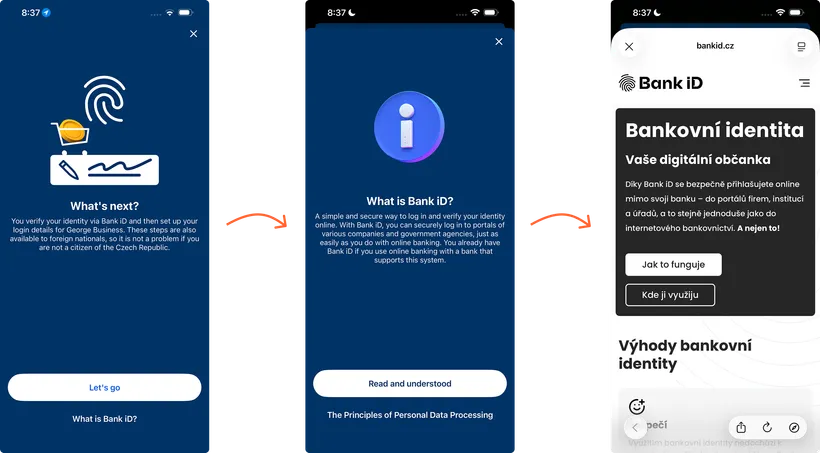
Open the George Business Česko mobile app on your phone and tap "Let's ho".
In the first step, read information about Bank iD service.
3. Verify your identity using Bank iD and review your details
In this step, select the bank where you already have your account. We will use this bank to verify your identity through Bank iD.
Then enter your login credentials to the online banking and confirm.
Review the details retrieved from your bank and tap "Continue".
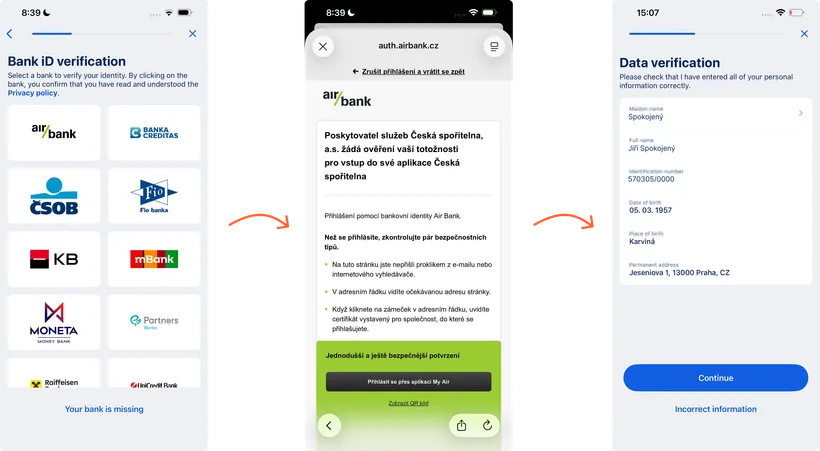
If your bank is missing from the list or some of the retrieved details are incorrect, try verifying your identity through another bank or book an appointment at a Česká spořitelna branch.
4. Enter your birth surname and set your username and phone number
Enter your birth surname and tap "Done".
Set your email address as your username. This email will also be used as the contact email for your products. You can change your username later directly in the George Business app.
Then enter your phone number, which will serve as the security phone number for your Banking IDentity.
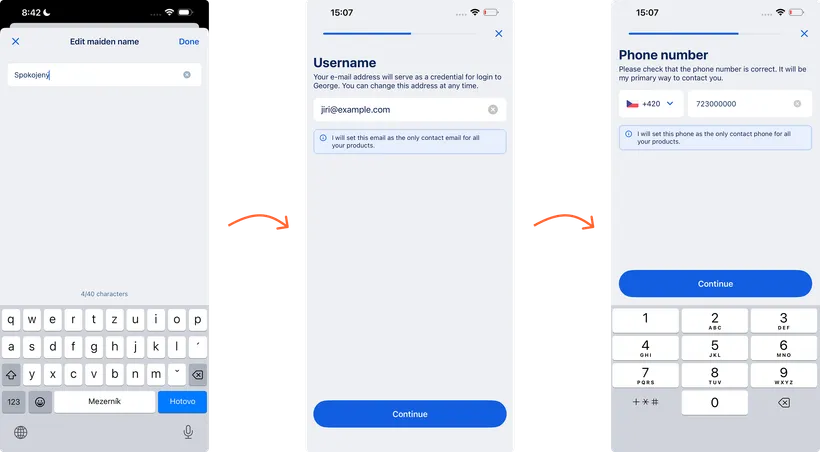
The phone number must be unique. It is not possible to register multiple phone numbers to a single Banking IDentity.
Contact details by purpose:
- Use your personal contact details (email and phone number) for your personal finances in George, your Česká spořitelna Banking IDentity, and communication with the bank as an individual.
- Set your business contact details exclusively for access to and communication within George Business, and for purposes related to your work.
5. Sign the Banking IDentity agreement
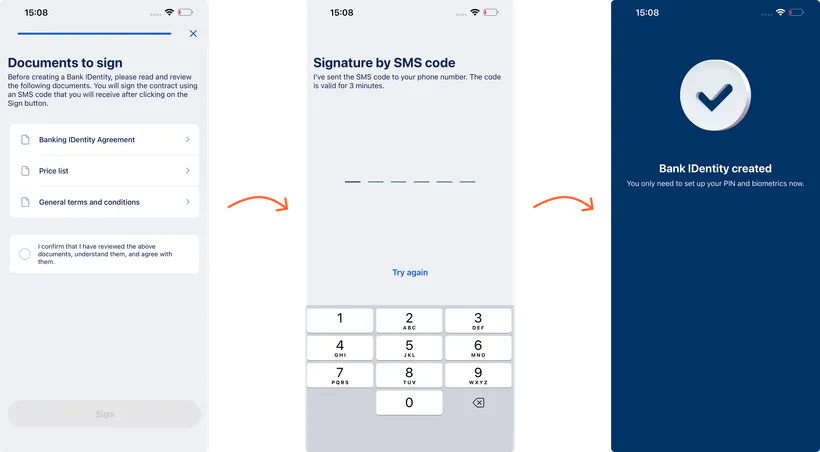
Read the generated documents and tap "Sign".
Enter the SMS code sent to the phone number you provided.
If you have successfully completed all the steps, your Česká spořitelna Banking IDentity has been created.
6. Set a PIN and activate George Business
After creating your Česká spořitelna Banking IDentity, George Business will redirect you to activate the app and set your security PIN.
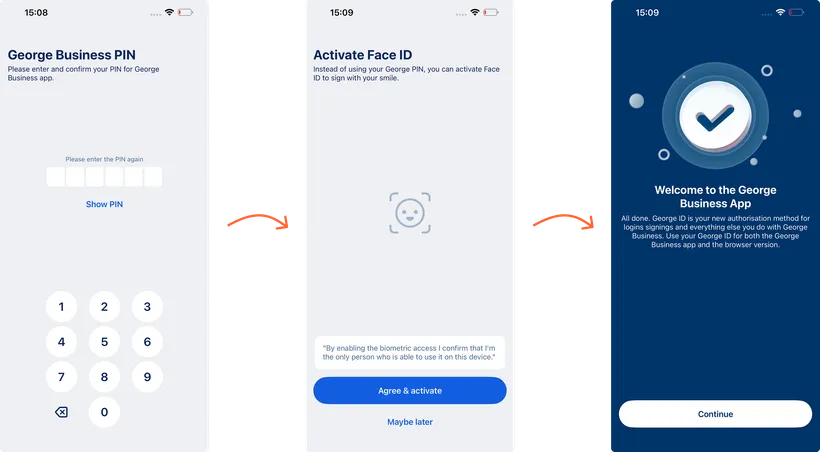
George Business security method
Every login to George Business is secure and complies with the requirements of the two-factor authentication. This security method is already integrated into the George Business mobile application. Once you activate the app on your phone, it will be linked to your identity, allowing you to confirm actions using either a PIN or biometrics (fingerprint identification or facial recognition).