The George Business Česko mobile application allows secure login to the George Business service and signing of transactions.
George Business mobile application and its activation
Last Article Update 11.06.2026
Requirements for downloading the mobile app
The application is free of charge and available in both Czech and English versions.
- To download the application, you need a mobile device with an Android or iOS operating system that supports security updates. Please refer to How to use George and George Business safely to find out the OS requirements.
- For enhanced security, it is necessary that you enable geolocation on your phone.
Detailed information about supported phones is available on the Česká spořitelna website.
Activation and Česká spořitelna Banking IDentity
To access all digital applications of Česká spořitelna, you need a Česká spořitelna Banking IDentity. It is a secure method that enables you to verify your identity online.
- If you do not have a Banking IDentity
If you do not have a Česká spořitelna Banking IDentity yet, you can create it directly in the George Business mobile app. You can use the bank identity from another Czech bank and then activate the application. - If you already have a Banking IDentity
If you are a Česká spořitelna client and use the George internet banking, you already have a Česká spořitelna Banking IDentity.
To activate the George Business mobile app, you only need an activation code.
How to get an activation code
To activate the George Business application, you need an activation code. You can get it in several ways:
During the online transition from BUSINESS 24 to George Business – after you log in to BUSINESS 24, use the button for starting the transition. An online guide will take you through the entire process.
At an ATM of Česká spořitelna – if you have a Česká spořitelna plastic debit card, you can generate an activation code yourself at most of our cashpoints. This code is valid for 14 days.
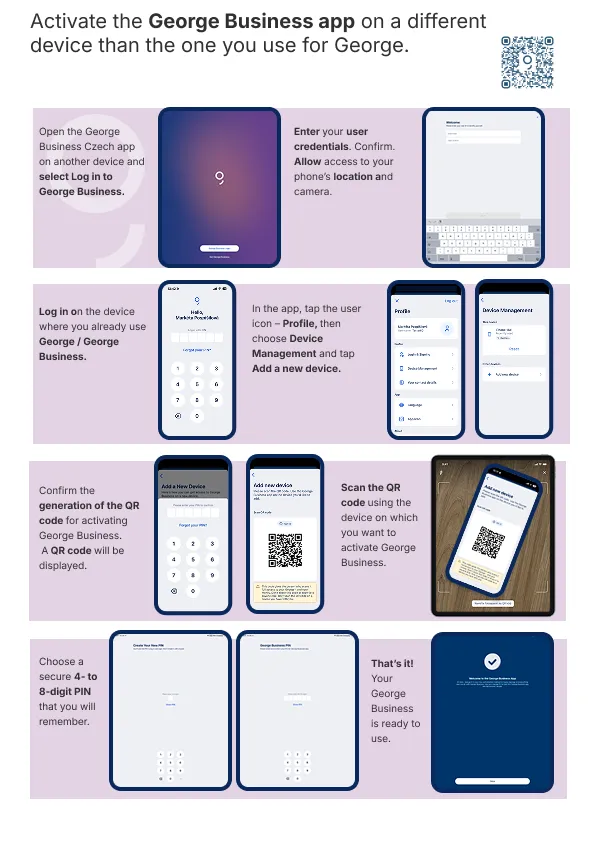
Using the George Česko mobile app – log in to the George mobile app and open your "Profile". Select the option "Device Management", and then "Add new device". This will generate an activation QR code. Scan this code using the George Business application and follow the instructions in the activation guide.
How to activate the George Business mobile app
-
Download the mobile app
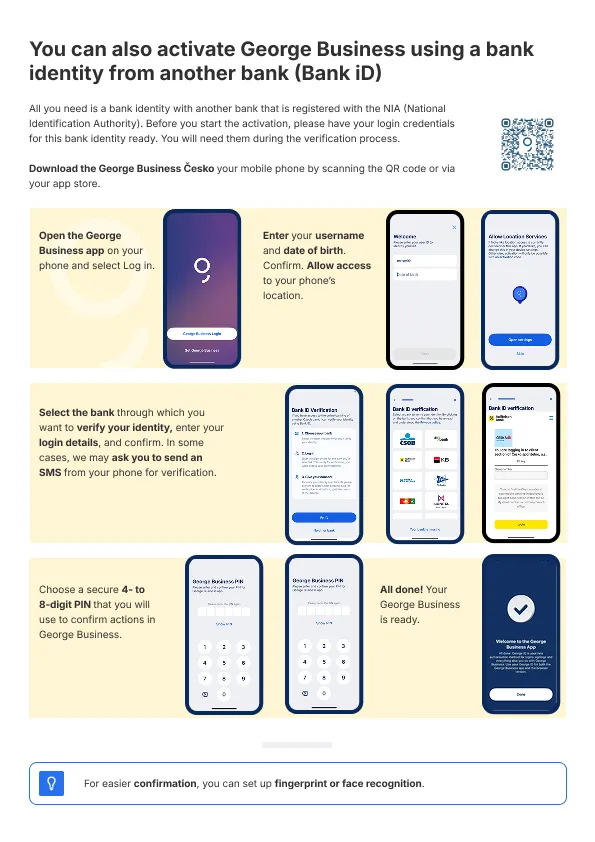
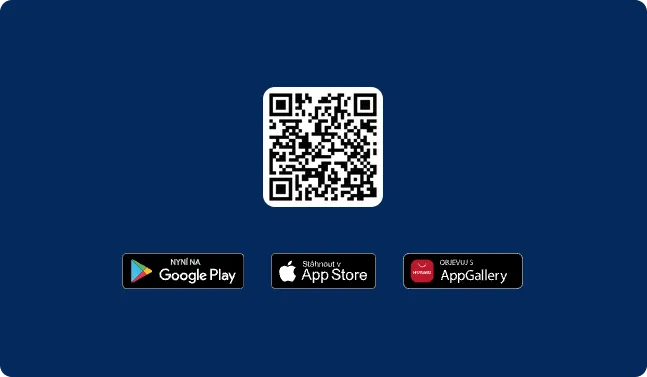
Download the George Business Česko mobile app either by scanning a QR code or from the store with applications in your mobile phone – App Store, Google Play.
-
Sign in to the mobile app
Open the mobile app and log in.
-
Activate the application
If you already have login details and a Česká spořitelna Banking IDentity, enter your username and date of birth. Then enter the activation code.
If you created a Česká spořitelna Banking IDentity in the George Business mobile app using a Bank ID from another bank, you do not need to enter an activation code. The application will be activated after you sign the agreement.
-
Set a PIN code
Complete the activation by setting a PIN for verification and transaction confirmation. You can also set up biometric authentication, which will make using the app faster and easier.
User guides for activating the George Business mobile application
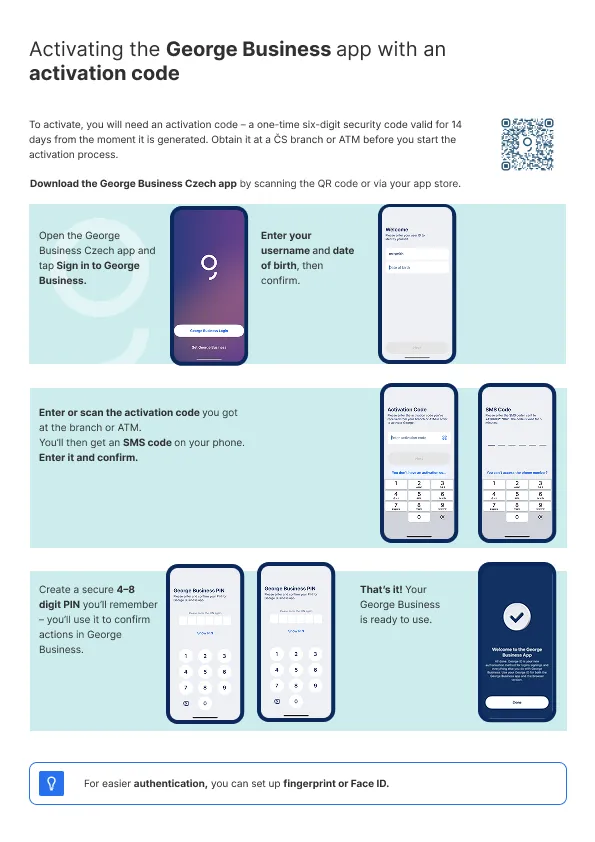
How to activate George Business using an activation code?
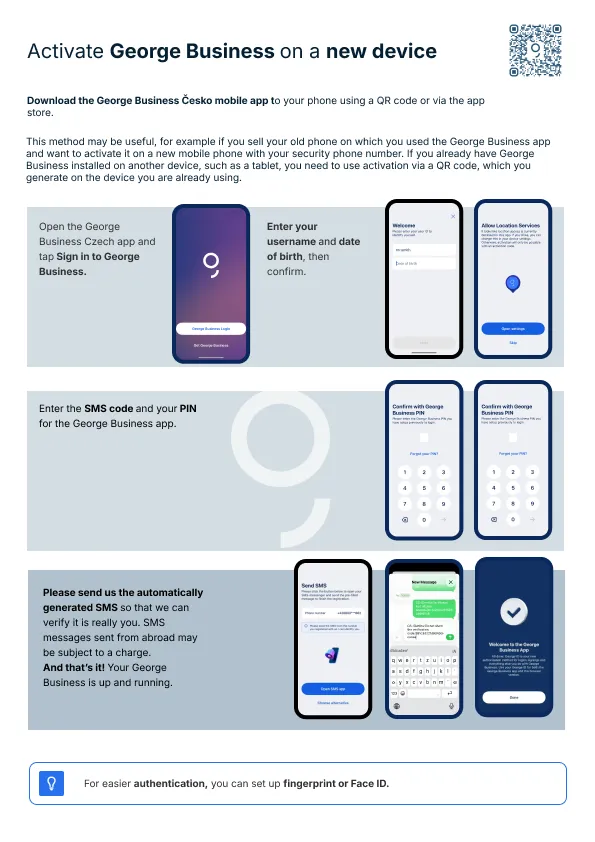
How to activate George Business on a new device?
How to activate George Business on an additional device?
How to activate George Business using a bank identity from another bank?