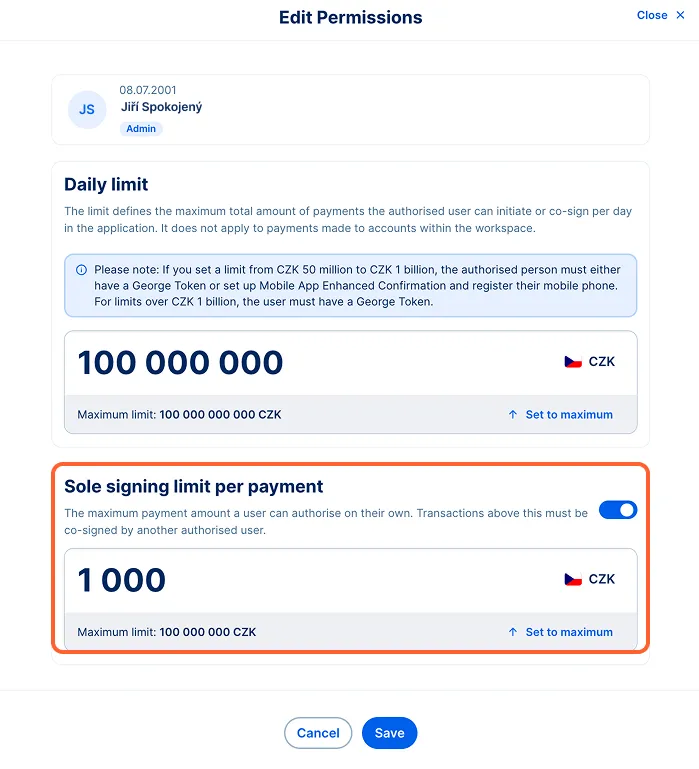
As a workspace administrator, you are responsible for setting daily transaction limits for George Business users. Administrators are the only users who can view and modify the current transactions limits.
Setting user transactions limits
Last Article Update 29.06.2026
How to set limits
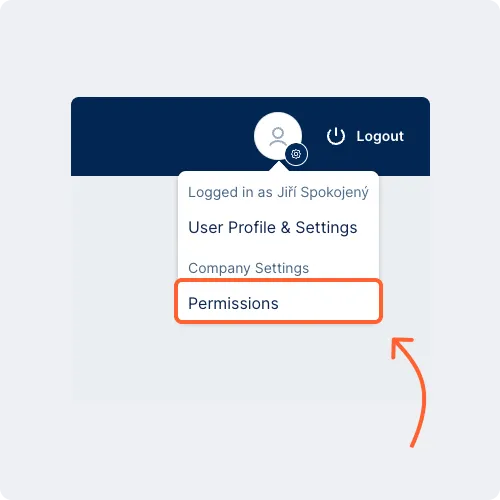
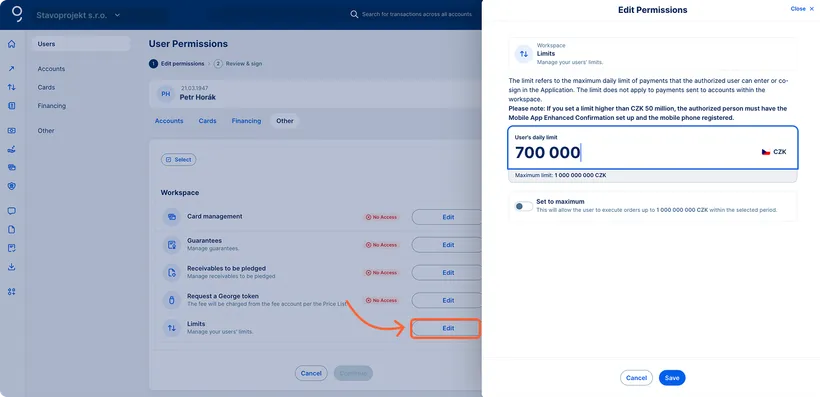
To set user limits, go to Company settings via the Profile in the upper right corner next to the Logout button. Click the "Permissions" item in the menu.
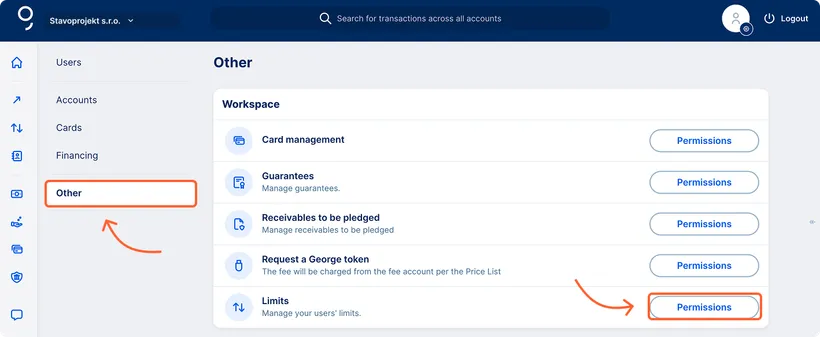
Go to the "Other" section by clicking the respective item in the left-hand menu. In the Limits row, click the "Permissions" button. Set the transaction daily limit of each user as needed.
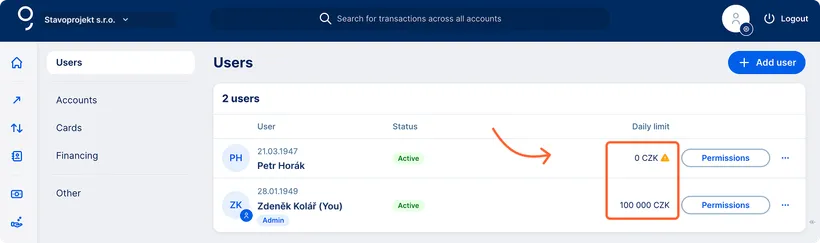
The administrator can see the user daily limits also in the Users section.
- An exclamation‑mark icon next to the user's limit with 0 CZK indicates that a limit needs to be set.
- The administrator can easily adjust the limits directly from the Users overview by using the three dots on the corresponding row.
How the user transaction limit works
The limit defines the maximum amount a user can daily transfer outside the company's accounts.
Actions that reduce the user transaction limit:
- Payments sent to accounts outside the company
- Standing orders
- Direct debit approvals
Actions that do not reduce the user transaction limit:
- Direct debit orders
- Transfers between the company's accounts
- Cash payments
- Withdrawals at a branch
Sole signing limit per payment
In addition to the daily limit, you can also set a sole signing limit per payment. If the amount of a payment you want to send exceeds this limit, it will automatically be forwarded to a second authorised person for co-signature.
By setting this limit, you gain better control over higher-value transactions. At the same time, setting this limit does not affect the user’s daily limit.
The limit is set by an administrator in George Business in the Permissions section, or you can visit a Česká spořitelna business point.