George Business brings a modern digital environment, but some functions work differently than what you may have been used to in Business 24. That’s why we’ve prepared practical tips and tricks to make your work with the app easier.
Tips and Tricks for a More Convenient Experience in George Business
Last Article Update 30.01.2026
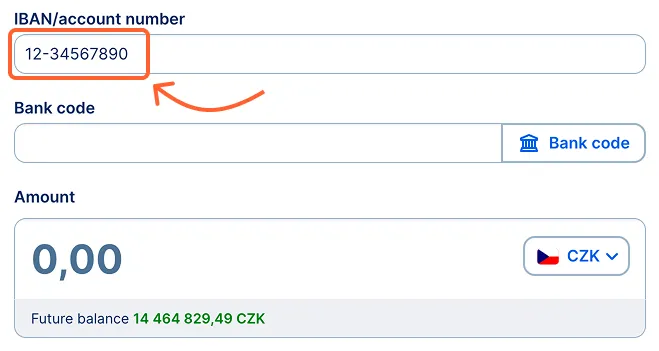
I’m missing the field for the account prefix
In BUSINESS 24, the account number had to be entered in multiple fields – the prefix and the main part separately. In George Business, it’s simpler: you enter the entire account number, including the prefix, into a single field. George automatically recognizes the correct number.
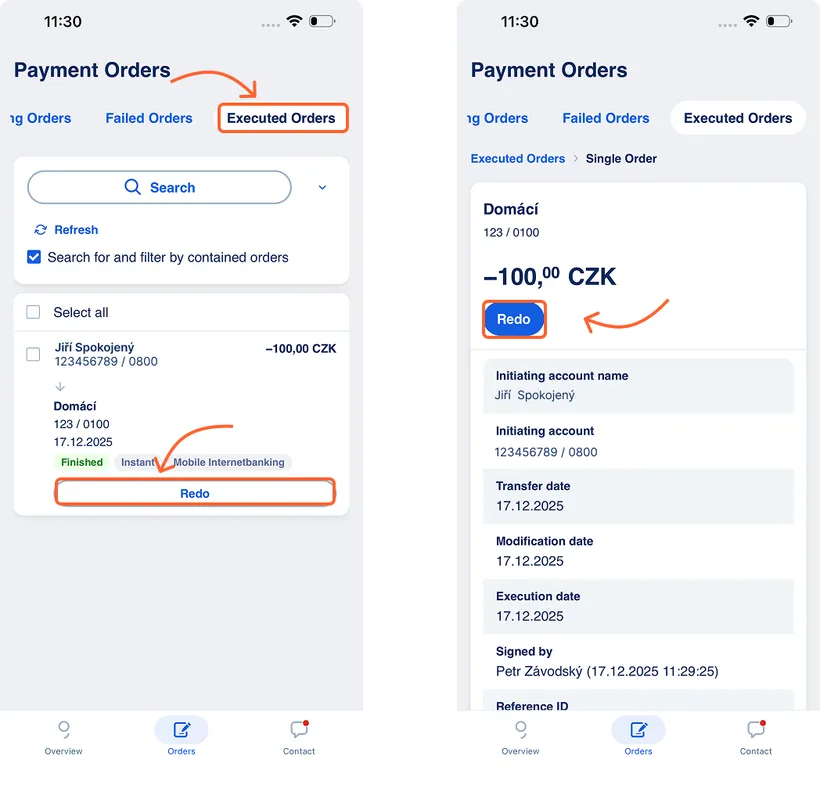
I can’t repeat a payment from history in the mobile app
In the mobile app, you can repeat a payment from the “Payment Orders” overview (not from the account transaction history). In the bottom menu, go to “Orders” and then open the “Executed” tab at the top (the tabs can be swiped sideways). In the list of completed payments, find the specific payment and tap “Redo”. You can check (or adjust) the pre-filled order and then confirm it right away.
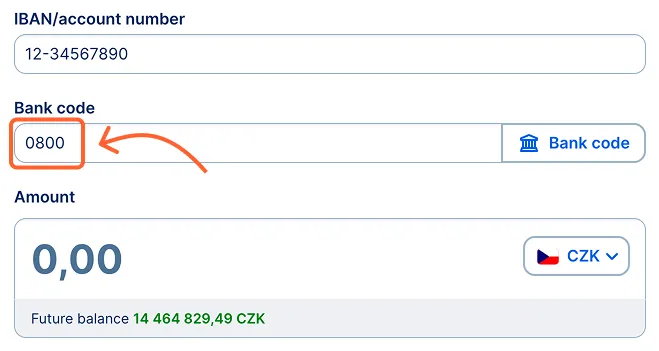
I can’t enter a bank code directly
If you know the bank code and don’t want to search for it in the list every time, you can type it manually into the designated field.
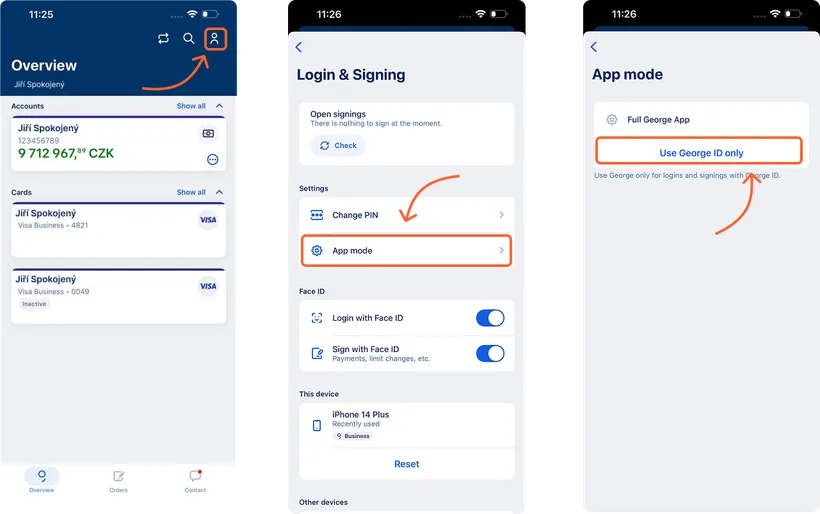
I want to use the mobile app only for payment approval
If you don’t need all the features of the George Business mobile app, you can use it only for logging in and approving transactions. You can set this mode in Profile (Login & Signing - App Mode) by tapping on “Use George ID only”. After logging in again, the app will switch to the new mode.
You can return to full mode at any time by tapping “Full George App".
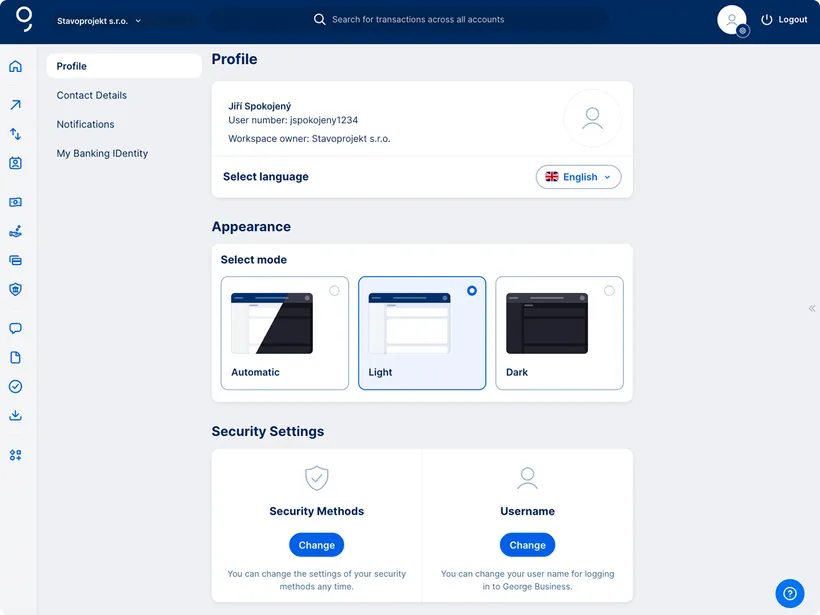
My username is too long
If you didn’t set a new username during the migration, or if you don’t have a personal account with us, you’re likely logging in with a ten-digit number. This can be impractical, especially if you log in multiple times a day.
In George Business, you can set your own username in your Profile. It’s up to you whether you choose a combination of letters, numbers and allowed symbols, or use an email-style format. It only needs to have at least 6 characters. Such a username is just as secure as the original one. Using a username that’s easier to remember makes logging in quicker and more comfortable.
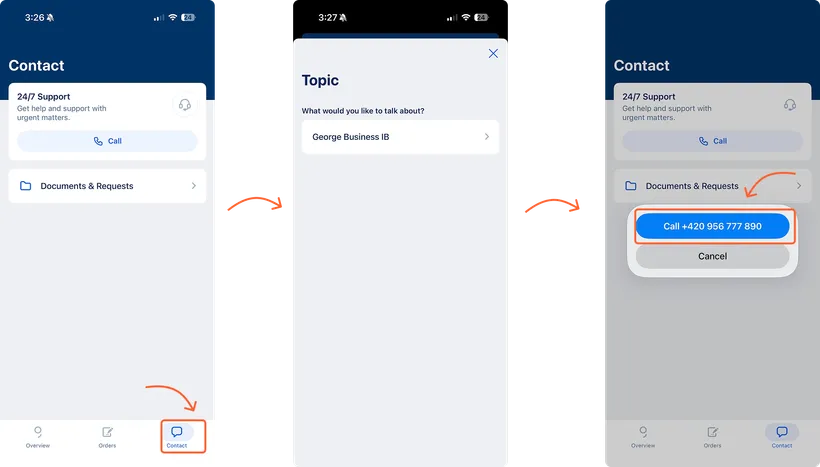
Verified call from the mobile app
You can contact us faster and more securely directly from the George Business mobile app – without the need for additional identity verification. Take a look at how it works.
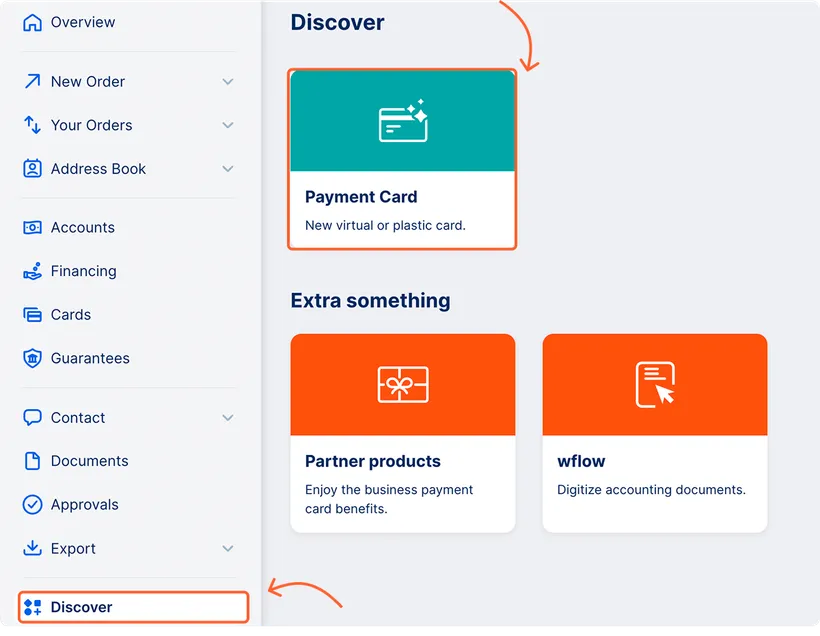
Online application for a new card
In George Business, you can easily request a virtual or plastic card – for yourself or your employees, if you have the Card Manager role. The virtual card is free, and you can submit the request conveniently in the Discover section.
Adding a user as an administrator
You can add a new user to your workspace easily online directly in the George Business web app. You can add a new user if you have the workspace administrator role and an agreement for Mobile App Enhanced Confirmation. We’ve prepared a simple guide for you.