You can set your username at any time and change it later. It’s important that your username meets certain requirements while still being easy for you to remember. You can change it directly in the George Business web application.
Change Username
Last Article Update 19.12.2025
Choosing a username
Your new username must meet a few basic criteria:
- It must be unique within Bank Identity.
- It must contain between 6 and 40 characters.
- It can include letters, numbers and special characters such as a dot, underscore or hyphen.
- You can also set your username as an email address (in that case, the @ symbol is allowed).
- Do not use accents or spaces.
- Uppercase and lowercase letters are not distinguished.
How to change your username in George Business
After signing in to the George Business web application, click the gear icon in the top bar, then select Profile and user settings.
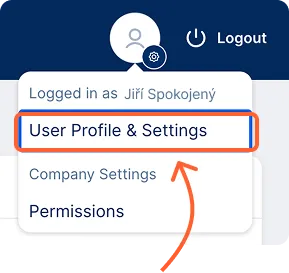
- Go to the Security settings section.
- In the Username field, click the Change button.
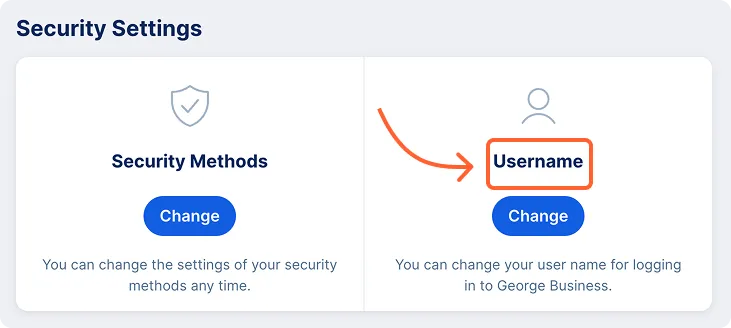
- You’ll be redirected to the My Bank Identity environment.
- Click the “Username of your Bank Identity at ČS” field, then the pencil icon, and select Change.
- Enter your new username and confirm by clicking Save.
- Confirm the change following the on-screen instructions.