Only authorized users can sign payment orders. There are various ways to access and sign these orders.
Signing payment orders
Last Article Update 15.12.2025
How to sign a payment order
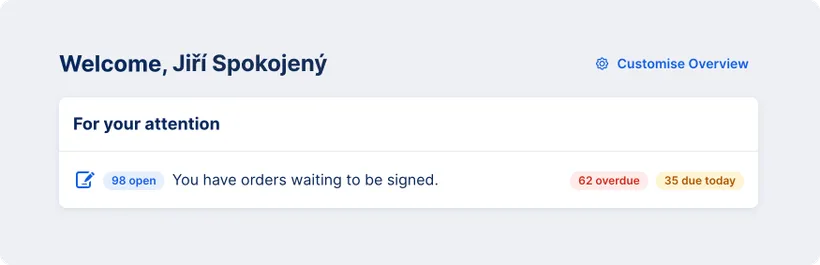
The quickest and most convenient way is to go directly to the "For your attention" section in your main overview. You will find there all important notifications and a list of items that are currently requiring your attention. By clicking in the row with the text "You have orders waiting to be signed." you will be taken directly to the Signature Folder.
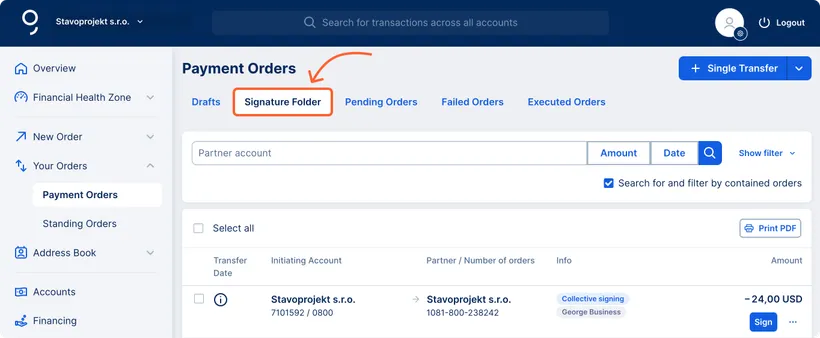
You can also get to the Signature Folder via the left-hand menu by selecting "Your Orders" then "Payment Orders" and finally switching to the "Signature Folder" tab.
Signing Methods in George Business
Signing of payment orders is conducted securely using the George Business mobile application.
George will always check whether payment orders require multiple signatures. The order is then either processed or saved as pending until signed by all required users. Once the order has been processed, it will appear in the Executed Orders folder and in the history of the respective account.