Creating domestic and SEPA payment orders in the mobile app is now even faster. Instead of manually entering payment details, simply scan a QR code from an invoice or receipt, and George will automatically fill out the form.
Payments via QR Codes
Last Article Update 15.12.2025
Payments with QR Code
In the mobile app, you can use QR codes to create an order for single domestic or SEPA payments. You can either scan the QR code directly or use a QR code saved in your phone’s photo gallery.
How to proceed:
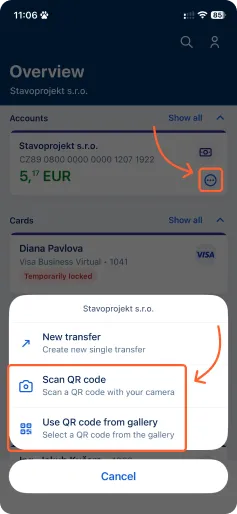
1. In the Overview, tap the three dots at the specific account and select "Scan QR code" or "Use QR code from gallery". The order form will automatically be filled with the appropriate details.
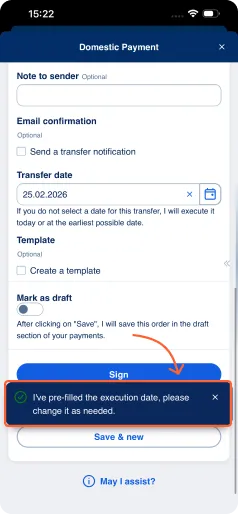
2. Check the filled-in details, including the transfer date, and adjust them if necessary.
3. Save or sign the order.
By using QR codes – especially from invoices or receipts – creating domestic and SEPA orders becomes faster and more convenient.