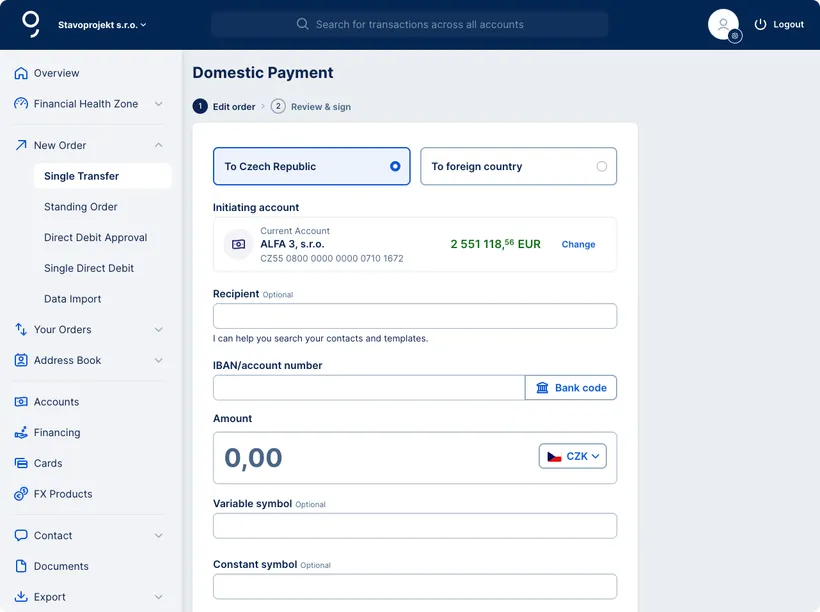
Initiating Account – It is the account from which the payment is sent. It is automatically pre-filled either with the account you’re using to create the order or with your primary account. You can select a different account by clicking "Change".
Recipient – Entering the recipient's name or company name is optional. However, you can click in the field to select a recipient from your saved contacts or templates. This will automatically fill in the recipient's account number and other payment details.
IBAN / Account Number – If you haven’t used a saved contact or template, enter the recipient’s account number and the bank code manually (you can choose the code from a dropdown list).
Amount – Enter the amount that you want to transfer. The currency is automatically set to CZK.
Optional Fields:
Email Confirmation – Check this box if you’d like to receive payment confirmation via email.
Transfer Date – Click in the field to open a calendar and select the transaction date. If no date is specified, the payment will be sent as soon as possible.
Template – Check this box to create a new payment template or update an existing one.