Money Market Deposit

Last Article Update 09.02.2026

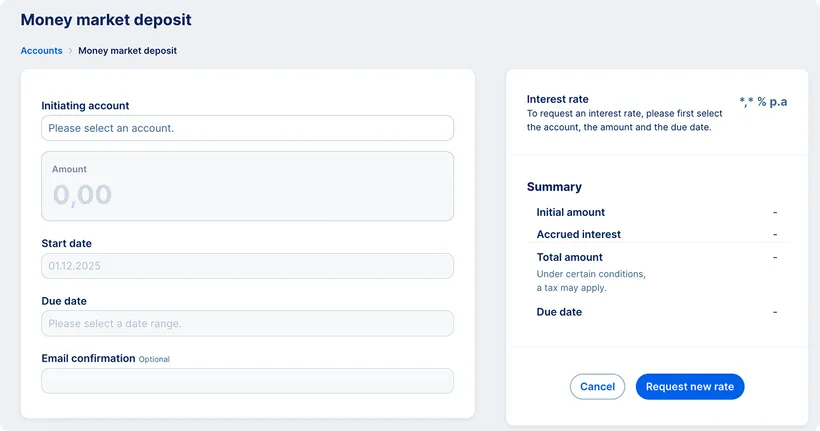
The Money Market Deposit (MM Depo) offers a flexible short-term investment option on the money market with an individually agreed interest rate. This article explains how to enter an MM Depo transaction, what permissions are required, and which steps to follow for successful execution.

Accounts overview with MM desosit entry point Accounts overview with MM desosit entry point

A Money Market Deposit (MM Depo) is a short-term deposit with an individually agreed interest rate in selected currencies for a predefined period. The maximum deposit term is one year. The interest rate is based on the current market rate. The transaction settlement takes place on the date selected when entering the trade.

Permissions for MM Depo Transactions

Only clients who have signed a Master Agreement for Financial Market Trading or a Framework Agreement for Financial Market Trading can execute MM Depo transactions.

The administrator must then assign the relevant permissions to individual users.

  • To access the overview of MM Depo transactions, the user must have the permission View in Financial Market Products..
  • To create new MM Depo transactions, the user must have the permission Create Financial Market Products independently Transactions can only be executed from accounts for which the user has the permission Submit Payment Orders.

To configure permissions for MM Depo transactions, go to Company Settings by clicking the profile icon in the top-right corner of the screen. Then select the categories “Other” and “Financial Market Products.” For more information, see the section For the Administrator.

New Transaction

Downloading the Confirmation

For a completed transaction, you can download the trade confirmation in PDF format.

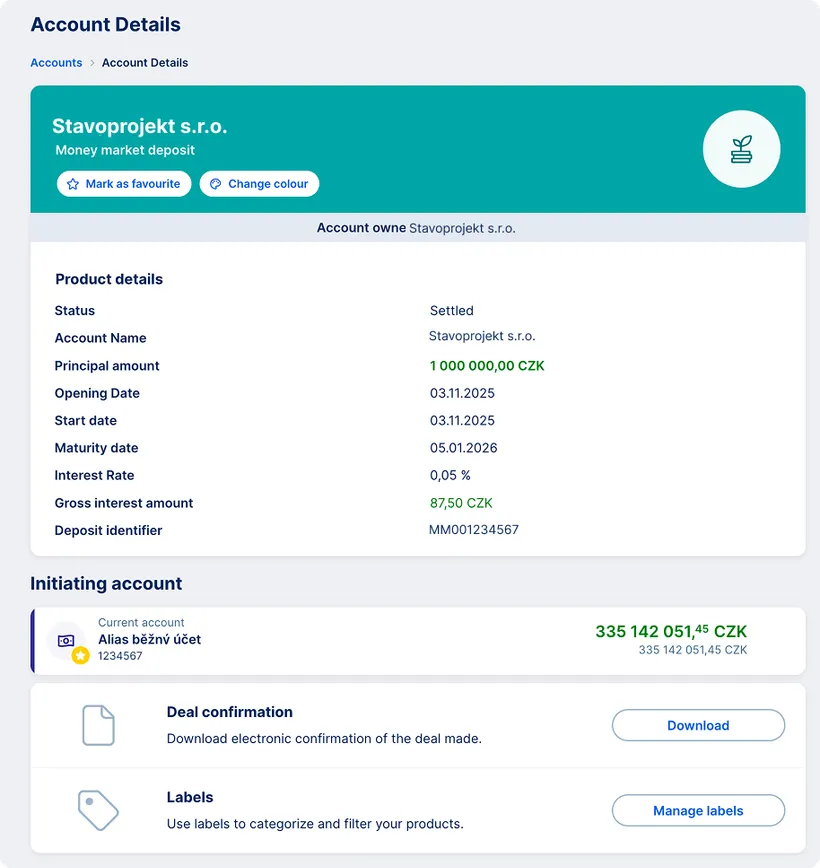
In the overview of MM deposit transactions, select the relevant transaction and, in its detail, click Trade confirmation at the bottom of the screen.

The confirmation is available in Czech or English, depending on the current language setting of George Business. You will also receive the same confirmation by e-mail if you enter your e-mail address when submitting the transaction.

Overview of MM Depo Transactions

You can access the overview of all transactions via Accounts in the main menu. Relevant transactions are marked with the label “Money Market Deposit”.

  • The overview shows all completed transactions, including the trade date, amount and currency.
  • By clicking a specific row in the overview, the transaction detail opens, where you can also find the settlement date and the interest rate.

You can filter transactions by accounts or currencies, or search for a specific transaction using the search function.

To access the MM deposit transactions overview, the authorized user must have the permission View in Financial Market Products.

Money Market account detail Money Market account detail