If an increase is available to you, you will see an offer in George Business including a pre-approved amount. You can use it to increase your loan, overdraft, or credit line based on your current needs and complete the entire process online under your existing terms and conditions.
Increase of overdraft, working capital loan and credit line
Last Article Update 13.07.2026
Who can use the offer
Small and medium-sized businesses can take advantage of this offer if they have a pre-approved increase available in George Business and use an overdraft, revolving loan, or credit line with an overdraft.
Who can apply for an increase
To request an increase, you need one of the following permissions:
- Obtain information on Loan Products
- Contractually act in connection with Loan Products
How to apply for an increase
You can arrange an increase in Discover by selecting the Financing tile and then opening the relevant pre-approved increase offer. Alternatively, you can open your existing product and click the "Increase Limit" button.
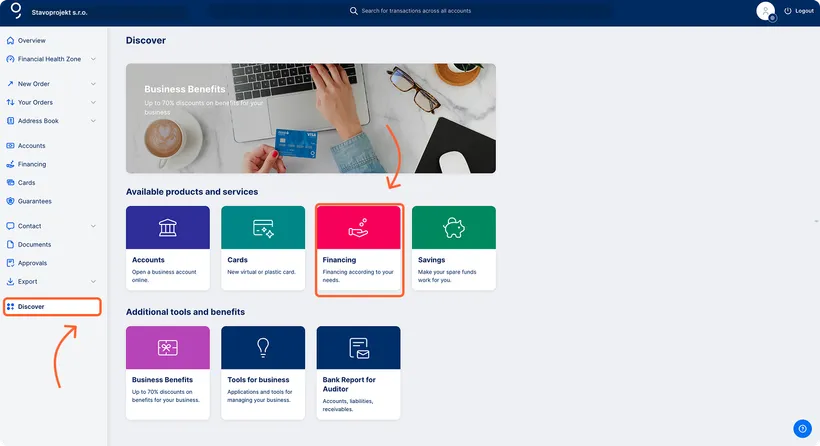
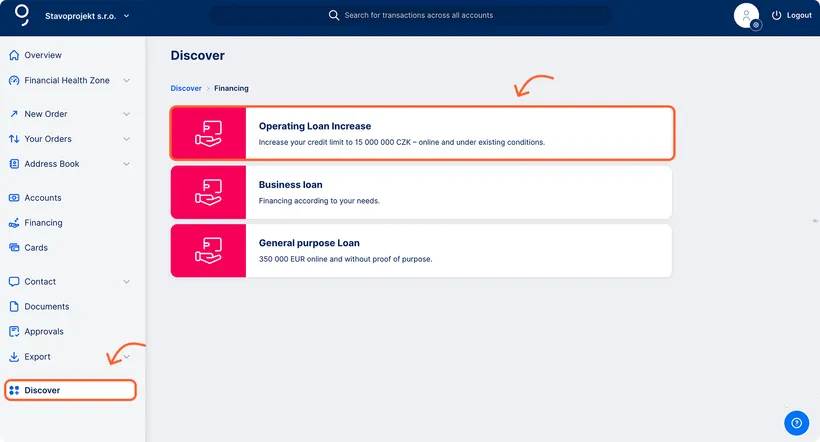
In the form, set the new financing amount and submit your request.
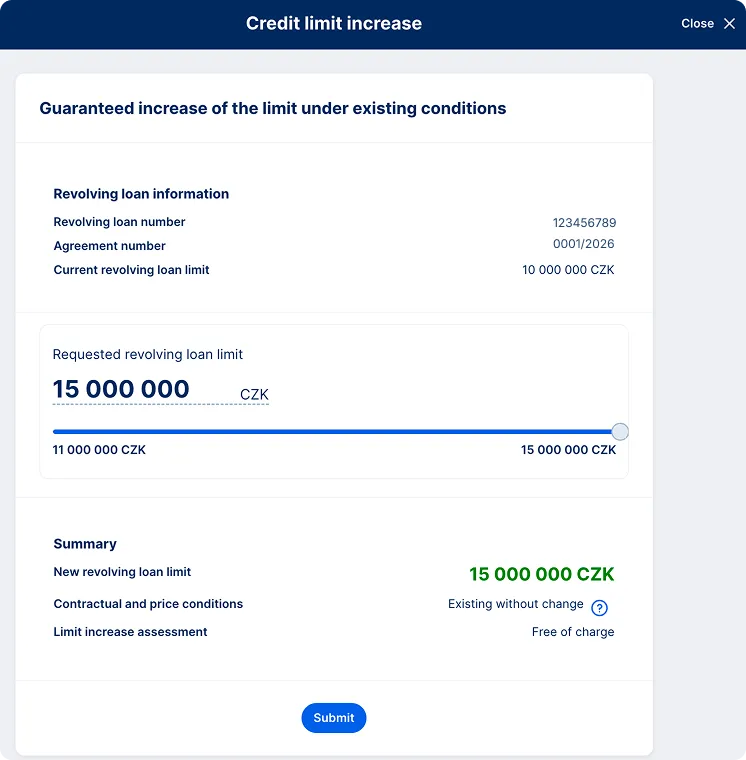
The contractual documentation will be available for signing within 2 business days in the Documents section of George Business.
Summary
You can arrange the increase online without visiting a branch and without changing your existing contractual terms and conditions. Once the agreement is signed, the new limit is available immediately.