The left-side navigation on the George Business Overview page guides you safely to your destination of finance management. It is the starting point for your daily tasks.

Last Article Update 28.04.2025
The left-side navigation on the George Business Overview page guides you safely to your destination of finance management. It is the starting point for your daily tasks.
The following menu items are at your disposal:
Wherever you are with George Business, if you want to return to your personalised overview, there are two ways to do this:
This will quickly take you back to your overview page and you will see all your favourite products and accounts at a glance.

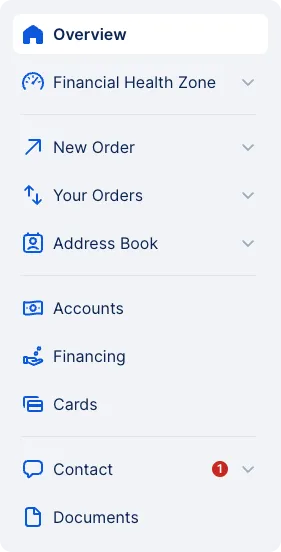
Some of the menu items are more extensive and have further expandable subcategories that guide you directly to specific functions and actions.
You recognise the menu points with further submenus by the little "expand tick" next to it.
Here, you can select the specific type of payment you need to make.
Here, you can review all payments you have entered, whether they are pending processing, awaiting approval, or already completed.
From there, you can further navigate to your Signature Folder (if you have the respective permissions) or your Order History.
The address book contains your business contacts and the corresponding accounts and templates. You can also create new business contacts here. Go directly to: