In the lifetime of a credit card, you might make a lot of payments with it. Some are regular and reccuring, some of them might be special purchaces for certain occasions. Either way, it's good to keep track of what spendings have been made. With George Business, you can access your credit card history any time and easily with just a few clicks.
Card Transaction History
Last Article Update 17.12.2025
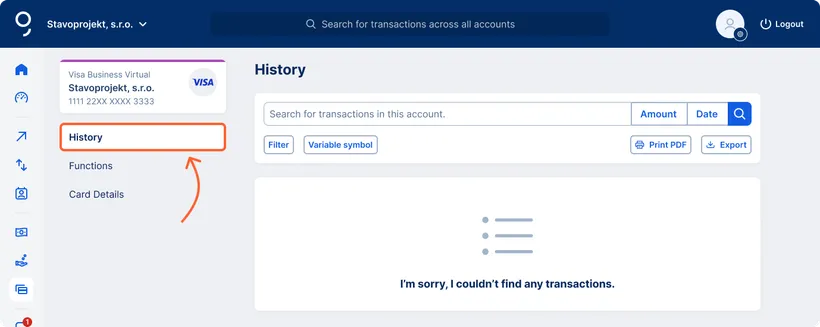
How to access the Card Transaction History
You can access the card’s transaction history from the card overview by clicking on the row of the card you’re interested in.
You can also find the history via “Card details” (by clicking on the three dots or the button at the end of the respective card’s row).

Search in the Card Transaction History
You can search transactions by any payment detail – such as recipient, amount, date, variable symbol, or note. You can also filter for incoming or outgoing payments only.

Download Card Transaction History
You can download the card’s transaction history using the “Print PDF” button in the top right corner.
Choose the period for which you want to download the history (month, year, custom range), and select whether to include balances and totals. Review the preview and print the history.
Export Card Transaction History
You can export the card’s transaction history using the “Export” button in the top right corner.
Export is available in the following formats:
CSV
MS Excel (.xlsx)
JSON
Select the period for which you want to export the transaction history, the required fields, and configure delimiters, markers, or sorting preferences. Then review the draft and download.