You can easily order a cash withdrawal over CZK 300,000 in George Business – in Czech koruna or selected foreign currencies. This guide will walk you through the steps.
Over-the-Limit Cash Withdrawal
Last Article Update 14.01.2026
To make an over-the-limit withdrawal, the Approve cash withdrawals independently permission is required.
1. Select the account from which the cash will be withdrawn.
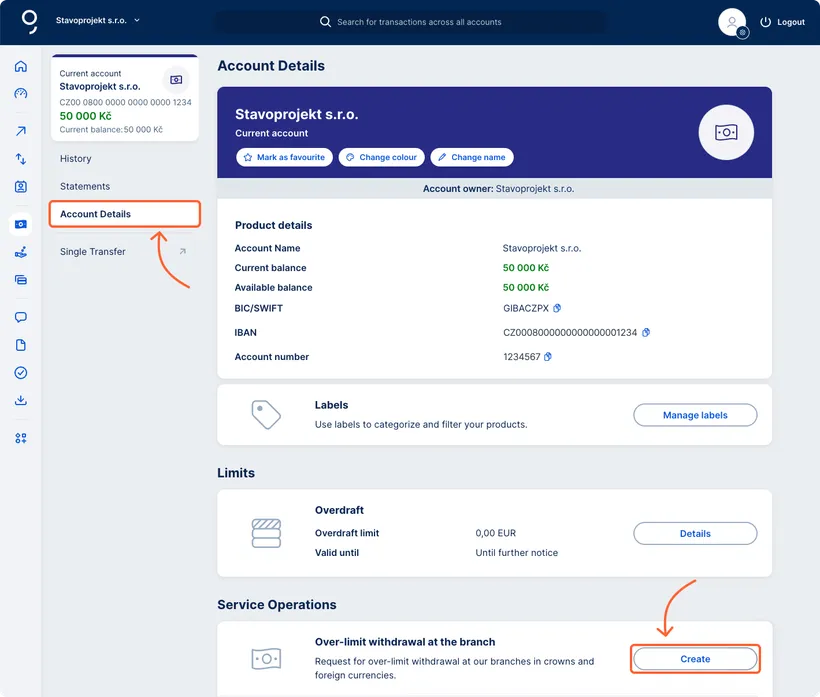
2. In the account detail, select Account Details.
3. On the Over-limit withdrawal at the branch tile, click the Create button.
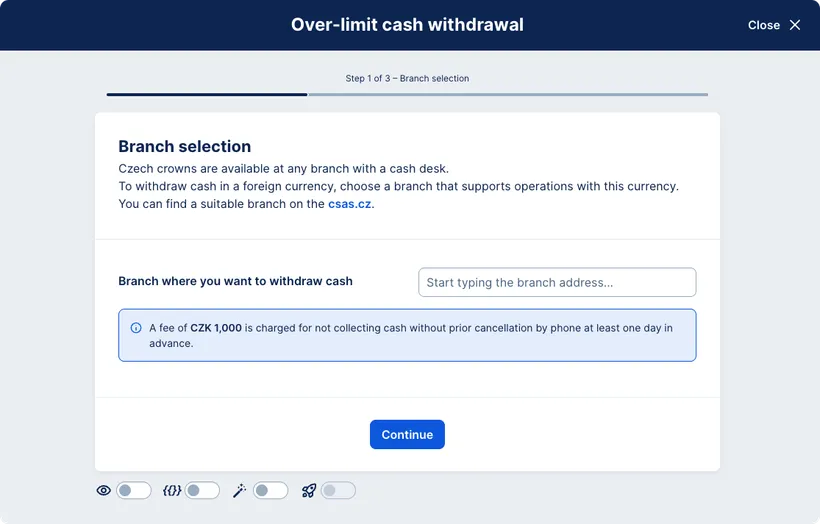
4. Fill in the withdrawal details. The form will only show branches with a cash desk where an over-the-limit withdrawal can be made.
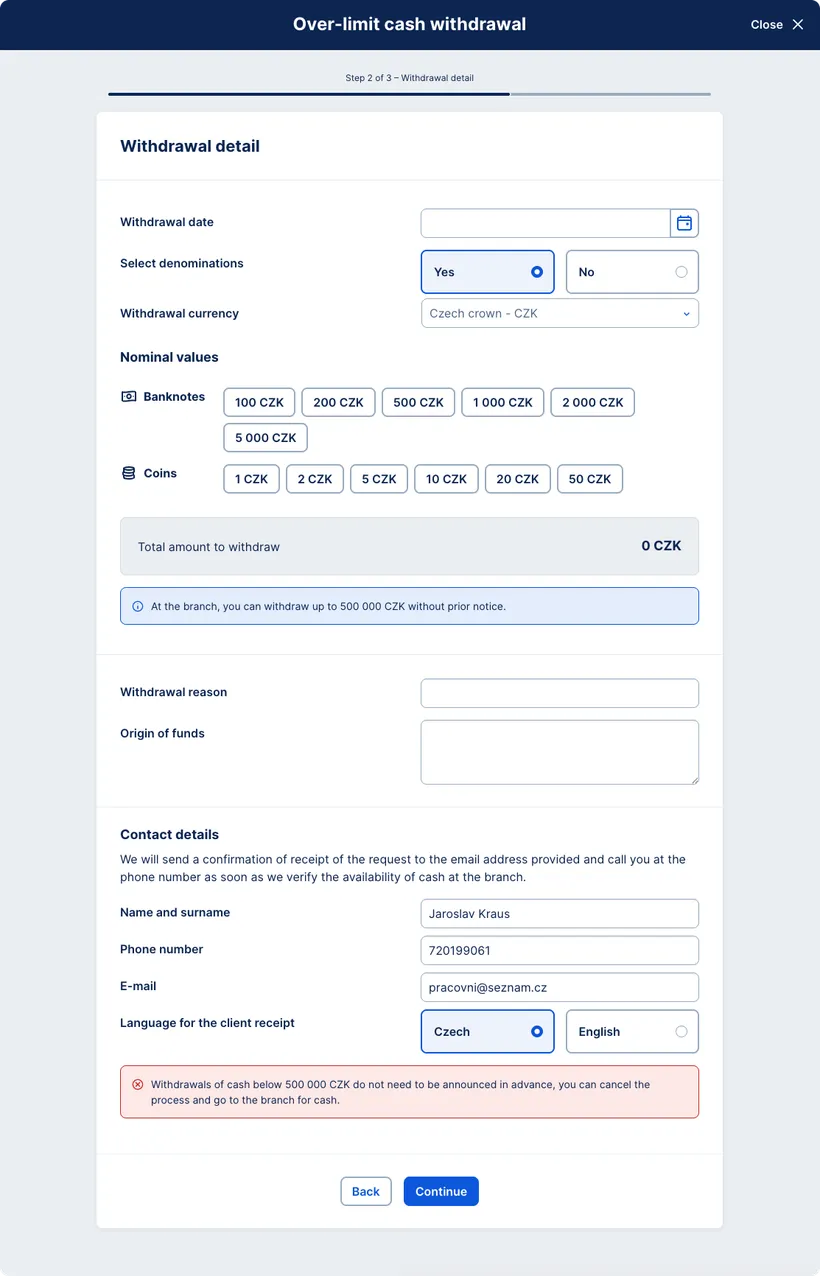
5. Contact details – enter the withdrawal information (date, amount, currency, banknote denominations, reason for the withdrawal, and source of funds). Provide an email address or phone number where the confirmation of your request will be sent.
6. In the final step, review the entered withdrawal details and submit the request.
You can order an over-the-limit cash withdrawal online in George Business. Just open the account, fill in the request, select the branch, and confirm. Booking in advance ensures the cash will be ready at the branch in the correct amount and denominations.